South Carolina arrest-record verification
Find a South Carolina Booking, Then Follow the Official Record Trail
Found a South Carolina mugshot and are unsure what it actually means? Start here. Use Arrests.org only to locate a possible booking, then follow the county, court and state-record trail to confirm the person, current custody, filed charges and final case outcome.
Choose the Database That Answers Your Real Question
Many visitors begin with a mugshot search even though they actually need a current jail status, court result or official criminal-history response. This table shows where to start and what to do next.
Your question | Correct source | What to prepare | What to do after opening |
|---|---|---|---|
Was this person possibly booked in South Carolina? | Name, approximate age, county or likely arrest date | Write down the county, agency, charge, booking date and record number. Treat it only as a discovery lead. | |
Is the person currently in a county jail? | The arresting county sheriff or detention center | County, full name, booking date or inmate number | Check current custody, release, bond and hold information. Call the detention center if the arrest is very recent. |
What happened in the court case? | County, legal name, case number or filing period | Open the county Public Index and review the charges, hearings, case status and disposition. | |
Do I need a state criminal-history response? | Full legal name, date of birth and payment method | Complete the South Carolina name-based search and securely save the official response. | |
Is the person in South Carolina state prison? | SCDC number, SID or full legal name | Open the matching report and confirm the identifier, institution and current status. | |
Is the person on probation or parole? | Name, SID, birth year or county | Check the supervision information instead of assuming the person remains incarcerated. | |
Can I receive custody-status notifications? | Name or offender identifier | Search participating records and register for the notification options offered for that record. | |
Could the person be in federal custody? | Full name or federal register number | Use the federal locator rather than expecting a federal inmate to appear in SCDC. |
Simple routing rule: Search the county detention center for a recent arrest. Search SCDC when the person may have been sentenced and transferred into the South Carolina state-prison system.
A Safer Six-Step Arrest-Record Verification Process
This process helps you move from a possible Arrests.org result to the responsible government database without confusing an arrest allegation with the final outcome.
Find the possible booking
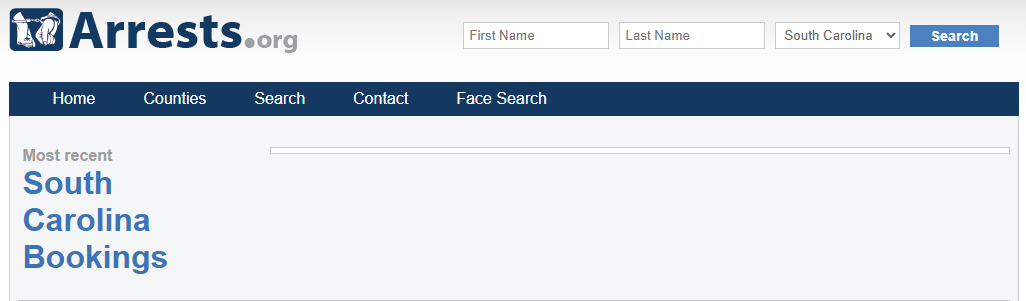
Open the South Carolina Arrests.org search and begin with the surname. Add the first name, county or date only when the result list is too broad.
Confirm that it is the same person
Compare the full name, age or birth year, photograph, county, arresting agency, booking date and any booking number. Never rely on a name alone.
Save the routing details
Write down the county, charge wording, arrest date, booking date and identifiers. These details will help you locate the correct jail and court record.
Check present county custody
Use the arresting county’s official inmate inquiry. Check booking, release, bond and hold fields. Call the detention center if the online record is delayed or unclear.
Review the official court case
Open South Carolina Case Records Search, select the correct county and compare the case number, filing date, charges, hearings and final disposition.
Use the relevant state system
Use SLED CATCH for a state criminal-history response, SCDC for state-prison custody and SCDPPPS for probation or parole supervision. Note the date each source was checked.
How to Search Arrests.org South Carolina by Name, County or Date
Arrests.org may help you discover a possible booking entry. It should not be used by itself to decide whether the person was convicted, remains incarcerated or has a current warrant.
Start with fewer details
- Open the South Carolina advanced search.
- Enter the last name first.
- Add the first name only when necessary.
- Select a county when the arrest location is known.
- Add a date range for an approximately known booking.
- Open a likely result and compare every identity clue.
Narrow common names by location
- Open the South Carolina Arrests.org landing page.
- Choose the county named in the booking or arrest information.
- Use age, sex, charge or date only when needed.
- Do not assume a short charge label is the final filed charge.
- Move to the county jail and court record before relying on the result.
Search tip: When the full name returns nothing, try the surname alone. Remove punctuation, try a maiden or former surname and check nearby counties before concluding that no record exists.
How to Avoid Identifying the Wrong Person
South Carolina search results may include several people with identical or similar names. Compare several details before deciding that a record belongs to the person you are researching.
- Compare the complete legal name.
- Check age, birth year or date of birth.
- Review the booking photograph carefully.
- Confirm the county and arresting agency.
- Check whether the date matches the expected period.
- Use the booking number, SID or SCDC number.
- Compare the court case number.
- Review middle names, aliases and earlier surnames.
Do not identify someone publicly from a name-only match. A common name can easily connect an unrelated person to the wrong booking or court case.
Verify the Case Through the South Carolina Public Index
The booking page may show an allegation recorded during intake. The court record is the more useful source for checking whether charges were filed, changed, dismissed or resolved.
Identify the correct county
Write down the arrest county, arresting agency and name spelling shown on the booking record.
Open Case Records Search
Go to the South Carolina Judicial Branch Case Records Search.
Select the relevant county
Choose the county where the criminal case was filed. Use the arrest county first when you do not yet have a case number.
Search by legal name or case number
Enter the legal name and compare filing dates, court type and case numbers. The Public Index portal may require JavaScript and cookies.
Read the complete case history
Review the charge history, hearings, status, disposition, sentence and financial entries. Do not stop after reading the first charge description.
Contact the handling court when needed
Use the official courthouse search to find the county clerk, phone number and courthouse address.
Do not use appellate C-Track for an ordinary county criminal case. County-level criminal records are normally checked through the county Public Index route.
County Jail, State Prison and Supervision Records Are Different
A person may first appear in a county detention center, later move into state prison and eventually appear under probation or parole supervision. Searching only one database can therefore give an incomplete answer.
Record system | Who normally appears | Who may not appear | What to verify |
|---|---|---|---|
County sheriff or detention center | People recently booked or currently held in that county | Released people, state prisoners, federal inmates or people held in another county | Booking date, custody status, release, bond, holds and inmate number |
People currently sentenced to and incarcerated with SCDC | Recent county detainees, released people, probationers, parolees and juveniles | SCDC number, SID, institution and current status | |
Released SCDC inmates covered by the selected search period | County-only custody or releases outside the listed period | Release date, county and identity details | |
People under qualifying probation or parole supervision | Every arrested or incarcerated person | SID, birth year, county and supervision status | |
People covered by the federal prison locator | State and county inmates | Federal register number, institution and release details |
How to Use SCDC Inmate Search Correctly
Use SCDC only when the person may be serving a sentence in the South Carolina state-prison system. A recent county booking may not appear there.
Use the SCDC number or SID when available
A unique identifier is more reliable than a common name and reduces the risk of opening the wrong inmate record.
Search by name when no identifier is available
Enter the first and last name. Try the surname alone or a spelling variation when the expected result does not appear.
Open the detail report
Confirm the full name, SCDC number, SID, institution and status. The report may open in another browser window.
Use the inmate information line if needed
Call 1-866-727-2846 when the online search is unclear. Have the person’s name and SCDC number or SID ready.
Examples of Official County Inmate Searches
County portals work differently. Some include past bookings, some allow date searches and others temporarily publish downloadable booking lists.
County portal | How to search | Helpful feature | If no result appears |
|---|---|---|---|
Use first and last name, booking or arrest dates, or inmate number. | “Show Past Bookings” can help with released people. “Sounds Like” may help with spelling. | Complete the reCAPTCHA, broaden the date range and try the surname alone. | |
Enter the first and last name, then submit the inquiry. | The official sheriff website routes users to its P2C inmate search. | Try the surname alone and check whether the arrest occurred in nearby Richland County. | |
Use the county page and its current booking-list option when the live inquiry is unavailable. | The page explains its public-display and record-retention limitations. | Open the latest-bookings document or contact the sheriff’s office about an official records request. |
Local routing tip: A Columbia-area arrest may be handled by Richland or Lexington County. A Myrtle Beach-area arrest may route through Horry County. Follow the agency and county shown on the booking record rather than relying only on the city name.
When to Use SLED CATCH
SLED CATCH is South Carolina’s official name-based criminal-history service. It serves a different purpose from a free mugshot search, county jail inquiry or court case search.
South Carolina criminal-history response
Use CATCH when you need the state’s official name-based criminal-history route and have accurate legal-name and birth-date information.
$25 standard search fee
The official portal lists a non-refundable $25 search fee. Review the checkout screen for any current online processing charge.
South Carolina records only
CATCH is not a national search and does not include wanted-person information. A no-record response is not a nationwide clearance.
SLED CATCH steps
Open the official portal
Go directly to catch.sled.sc.gov and choose the user type that fits the request.
Enter identity details carefully
Use the legal name and date of birth. Name-based searches can produce false matches when identity information is incomplete.
Review the information before paying
Check the spelling, date of birth, fee and payment information. The standard search fee is generally non-refundable.
Save the response securely
Download or print the result, record the search date and protect personal identifiers from unnecessary disclosure.
Mail-in request
SLED publishes an official CATCH mail-in form. Confirm the current fee, mailing address and accepted payment method before sending it.
Checking an update after expungement
Review SLED’s CJIS guidance and obtain a new CATCH response when appropriate after the official processing period.
How to Read a Booking Record Without Misunderstanding It
A booking record is a snapshot from one stage of the criminal-justice process. Compare each field with present custody and court records before relying on it.
Displayed field | What it may indicate | What it does not prove | Best next check |
|---|---|---|---|
Mugshot | A photograph connected with a booking or published record | Guilt, conviction, current custody or final outcome | County jail and court record |
Charge | The allegation recorded during intake | That prosecutors filed the same charge or obtained a conviction | Public Index charge history and disposition |
Booking date | When the person entered the detention process | That the person remains incarcerated | Current county inmate inquiry |
Bond | A bond amount or status recorded at a particular time | That the amount remains current or that no other hold exists | Detention center or handling court |
Disposition | How a court resolved the case or charge | That every private website has already updated its copy | Official court record and clerk |
Release date | When the person left that specific custody | That no transfer, supervision or separate case exists | SCDC, SCDPPPS, VINE or another county |
Common South Carolina Record Terms
Understanding the language used by booking, court and corrections systems makes it easier to interpret the record correctly.
- Arrest
- A law-enforcement action that does not by itself establish guilt.
- Booking
- The detention intake process that may create a mugshot, initial charge entry and booking number.
- Disposition
- The recorded court outcome for a case or charge, such as dismissal, plea or conviction.
- Public Index
- The South Carolina Judicial Branch route for public trial-court case information.
- SID
- A state identification number that can distinguish records more reliably than a name alone.
- Expungement
- A legal process that may remove qualifying records after the court and responsible agencies complete the required steps.
What to Try When the Expected Record Does Not Appear
A missing result does not always mean that no record exists. It may be filed under another spelling, held by another county or delayed between systems.
- Search the surname before adding the first name.
- Remove punctuation, hyphens and suffixes.
- Try a maiden name, earlier surname or spelling variation.
- Use one filter at a time.
- Check arrest and booking dates separately.
- Confirm whether the agency was municipal, county, state or federal.
- Search a neighboring county near county lines.
- Use desktop mode for difficult court portals.
- Allow required JavaScript, cookies and pop-ups.
- Save the case, booking or inmate number.
- Check when the online data was updated.
- Call the jail after a very recent booking.
Several matching names? Compare age, photograph, county, SID, booking number, SCDC number and case number before selecting a record.
Possible release-payment scam? Confirm bond and release instructions directly with the detention center or court before sending money.
South Carolina Arrest-Record Phone Numbers, Addresses and Hours
These are statewide offices. A recent county booking, release time or local bond question should still be directed to the arresting county’s sheriff or detention center.
South Carolina Law Enforcement Division
Use SLED for CATCH criminal-history and CJIS questions. SLED is not the correct office for a county jail release time or local bond status.
- Address: 4400 Broad River Road, Columbia, SC 29210
- Phone: 803-737-9000
- Hours: General public walk-in hours are not published on the main contact page. Call before visiting.
- Open the official SLED contact page
South Carolina Judicial Branch
Use the Judicial Branch for statewide court routing. Questions about a particular criminal case should usually go to the clerk in the county handling that case.
- Address: Calhoun Building, 1220 Senate Street, Columbia, SC 29201-3739
- Phone: 803-734-1800
- Hours: Monday–Friday, 8:30 a.m.–5:00 p.m., excluding state holidays
- Open the Judicial Branch contact page
South Carolina Department of Corrections
Use SCDC when the person may be serving a state-prison sentence. A recent county detainee may not appear in the SCDC system.
- Headquarters: 4444 Broad River Road, Columbia, SC 29210
- Main phone: 803-896-8500
- Inmate information: 1-866-727-2846
- Hours: General walk-in hours are not published. Call before visiting.
SC Probation, Parole and Pardon Services
Use SCDPPPS for supervision, probation, parole and pardon routing. Local supervision questions may need the appropriate county office.
- Address: 293 Greystone Boulevard, Columbia, SC 29210
- Main phone: 803-734-9220
- Hours: Service and county-office hours can vary. Call or check the directory before visiting.
- Find a county SCDPPPS office
Before visiting: Statewide headquarters may not hold the local booking or court file you need. Call first and confirm whether the matter belongs to SLED, SCDC, SCDPPPS, the county clerk or the county detention center.
SLED Headquarters Map and Visit Guidance
The map below shows SLED headquarters in Columbia. This is the statewide contact location associated with SLED and CATCH, not a county detention center or courthouse.
Do not visit for these tasks
Do not travel to SLED headquarters merely to ask whether someone is still in a county jail, what time they will be released or how to pay a local bond.
Call before travelling
Confirm the responsible department, visitor requirements, document requirements and current availability before making an in-person trip.
Need a courthouse instead?
Use the South Carolina Courthouse Search to find the relevant county court address and phone number.
Before You Call an Agency
Preparing the correct information helps the office route the request and reduces the chance of discussing the wrong person or case.
- Full legal name and spelling
- Date of birth or approximate age
- Arresting county and agency
- Arrest or booking date
- Booking or inmate number
- Court case number
- SID or SCDC number
- The exact question you need answered
- A copy of any dismissal or expungement order
- The URL of an incorrect private listing
Correcting, Expunging or Removing an Outdated Record
Correcting a government record, completing a legal expungement and requesting removal from a private website are separate tasks. Complete them in the correct order.
Save the exact listing and evidence
Copy the URL, take a screenshot, note the date accessed and save the official case number, dismissal, acquittal or expungement order.
Check whether the official record is wrong
Compare the court, detention and SLED records. Contact the agency that created the inaccurate official information.
Review the correct expungement route
Open the South Carolina Judicial Branch expungement process and select the route that applies to the court and record type.
Allow official databases to update
After the legal process is complete, follow SLED CJIS guidance and obtain a new CATCH response when appropriate.
Request a private-site update
Read this website’s content-removal policy and use the verified contact page. Include the exact page URL and redacted official evidence.
Protect sensitive information
Redact Social Security numbers, full identification numbers, financial information and unrelated personal details before sending documents.
Removal is not expungement. Removing a page from one private website does not automatically correct, seal or expunge the underlying government record.
Verified South Carolina Arrest and Record Resources
Each link serves a different purpose. Select the resource that matches the task rather than opening every portal.
Arrests.org South Carolina FAQs
These answers address common questions that arise after finding a South Carolina booking or mugshot result.
What is Arrests.org South Carolina?
Arrests.org South Carolina is a privately operated discovery website that displays booking-related listings and offers filters such as name, county, age, sex, charge and date. Use it to locate a possible record, then verify the information through the county detention center, South Carolina courts or another appropriate official source.
Is Arrests.org South Carolina an official government website?
No. It is not operated by the State of South Carolina or a county government. Its information should not replace the official county jail, South Carolina Judicial Branch, SLED, SCDC or SCDPPPS databases.
How do I search Arrests.org South Carolina by name?
Open the South Carolina advanced search and enter the surname first. Add the first name, county or date range only when needed. Compare the photograph, age, county, booking date, arresting agency and booking number before treating a result as a match.
Does a South Carolina mugshot mean the person was convicted?
No. A mugshot normally indicates that a booking occurred. It does not establish guilt or conviction. Use the South Carolina Public Index to check the filed charges, case status and final disposition.
Where can I verify a South Carolina criminal court case?
Use the South Carolina Judicial Branch Case Records Search, choose the correct county and open its Public Index. Search by legal name or case number and review the charge history, hearings, status and disposition.
How do I find someone currently in a South Carolina county jail?
Identify the arresting county and open that county sheriff or detention-center inmate inquiry. Search by name, booking date or inmate number. Call the facility when the arrest is very recent or the online status is unclear.
Why is a recent arrest missing from the SCDC inmate search?
SCDC search is intended for people currently sentenced to and incarcerated with the South Carolina Department of Corrections. A recent county detainee, released person, probationer, parolee or juvenile may not appear there.
What does SLED CATCH include and how much does it cost?
SLED CATCH provides a name-based South Carolina criminal-history check. The official portal lists a non-refundable standard fee of $25. Review the payment page for any current processing charge. It is not a national search and does not include wanted-person information.
What are the main South Carolina record-office phone numbers?
SLED’s main number is 803-737-9000, the South Carolina Judicial Branch number is 803-734-1800, SCDC’s main number is 803-896-8500, the SCDC inmate information line is 1-866-727-2846 and SCDPPPS can be reached at 803-734-9220. County jail and county court questions should be directed to the relevant local office.
How can I correct or remove an outdated South Carolina mugshot?
First verify and correct the originating court, detention or SLED record when necessary. Complete any eligible South Carolina expungement process, then provide the private website with the exact page URL and a redacted official document through its verified removal or contact procedure.
Official-resource review completed July 24, 2026
This website is an independent informational resource. It is not affiliated with Arrests.org, SLED, SCDC, the South Carolina Judicial Branch, SCDPPPS, any sheriff’s office or another government agency.
Official links, addresses and contact numbers were checked during the latest review. Custody status, fees, forms, office availability, portal behaviour and contact information can change. Confirm time-sensitive details directly with the responsible official source.
Responsible-use notice: An arrest is not a conviction. Do not use an arrest or mugshot listing to harass someone or to make employment, housing, credit, insurance or other decisions that require a legally compliant consumer report.