Arrests.org Michigan Search, Mugshots, County Jail Lookup, OTIS, ICHAT and Court Verification
Use this Michigan guide to find mugshot-style arrest listings, search by name or county, then verify the record through jail, court, MDOC OTIS, ICHAT, or VINE.
A booking photo or arrest listing is not proof of guilt. Always confirm custody, charges, bond, and court outcome from official sources before trusting the result.
Quick Answer: What Should You Use First?
If you want Michigan mugshots or recent booking-style results, start with the Michigan Arrests.org page or search page. Use it only as a discovery step.
If you need official verification, use the county jail for current custody, MiCOURT for court cases, OTIS for MDOC supervision, and ICHAT for Michigan public criminal-history records.
Michigan Arrest Records Image Guide
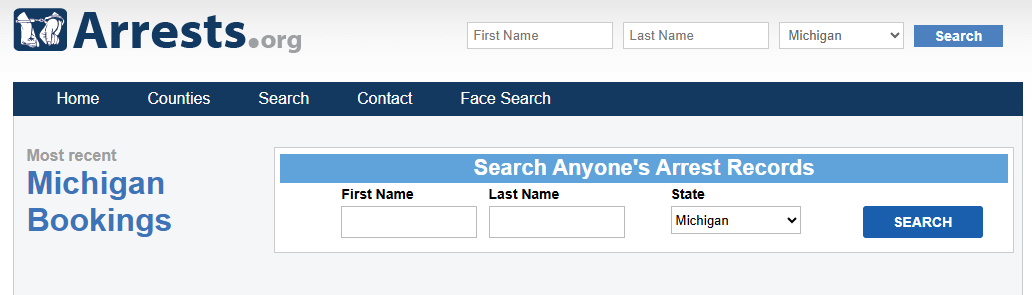
This image is used as a visual guide for the Michigan mugshot and inmate-search topic. Do not use an image alone to confirm custody, guilt, bond, charge status, or court outcome.
Jump to the Right Michigan Search Task
How to Search Arrests.org Michigan Step by Step
This section is for the user who wants the fastest path: open Michigan Arrests.org, search a person, browse county mugshots, then understand what to verify next.
Open the Michigan Arrests.org page
Start with michigan.arrests.org when you want statewide Michigan mugshot-style browsing, recent listings, or county-based results.
Use the search page if you know the name
Open the Michigan Arrests.org search page. Search the full first and last name first. If nothing appears, try last name only.
Filter by county when the name is common
Use the county connected to the arrest: Wayne, Oakland, Macomb, Kent, Genesee, Kalamazoo, Washtenaw, Ottawa, Muskegon, Ingham, or another Michigan county.
Open the result carefully
Compare name, county, age, booking date, charge wording, bond, statute, and any case detail. Do not assume a match only because the name looks right.
Verify through official sources
Use the county jail for current custody, MiCOURT for court records, OTIS for MDOC supervision, and ICHAT for Michigan public criminal-history information.
How to Verify a Michigan Mugshot or Arrest Record
Arrests.org can help you discover a possible booking. It should not be the final source for custody, charges, bond, warrants, or court outcome.
Official Michigan Tools to Use After Arrests.org
Use this table before you click around. Each official tool answers a different question, so the right source depends on what the user actually needs.
Official Tool | Use It When | What to Search or Check |
|---|---|---|
You need available Michigan trial-court case information, case status, hearing details, or disposition. | Party name, case number, court, case type, charge, hearing, and disposition where available. | |
The person may be a Michigan prisoner, parolee, probationer, or recently discharged offender. | MDOC number, name, offender status, supervision status, location, and discharge window. | |
You need Michigan public criminal-history information from MSP. | Name, date of birth, record limitations, and whether the record type is included. | |
You need custody-status information or notifications where supported. | Name, custody status, notification registration options, and agency availability. | |
You need Michigan appellate case search, opinions, orders, or court-system search tools. | Case number, party name, court, order, opinion, or lower-court information. | |
The case may be federal, not county or Michigan state custody. | BOP register number, name, age, race, sex, location, and release information. |
Michigan County Jail and Mugshot Search Tips
Most Michigan arrest searches are county-based. A Detroit booking may route through Wayne County. A Grand Rapids booking may point you to Kent County. A Pontiac-area booking may need Oakland County tools.
Search Intent | Where to Start | Official Verification Tip |
|---|---|---|
Wayne County / Detroit inmate search | Michigan Arrests.org or Wayne County search by name. | Use Wayne County Sheriff inmate information for current jail details, then check MiCOURT for court activity. |
Oakland County mugshots / Pontiac custody | Use CLEMIS or Oakland County inmate resources to confirm current jail custody. | |
Macomb County bookings | Use Macomb County Locate an Inmate for JailTracker lookup and call the Sheriff if unsure. | |
Kent County / Grand Rapids mugshots | Use Kent County inmate lookup or jail information before relying on a mugshot page. | |
Genesee County / Flint inmate info | Search by name or county on Michigan Arrests.org. | Use Genesee County Sheriff corrections information or jail contact details for custody questions. |
Any Michigan court case | Use the county and charge details from the booking result. | Search MiCOURT by name, case number, and court where available. |
What Michigan Booking Details Usually Mean
Booking records can look simple, but each field has limits. Use this table before you assume that a person is guilty, still in jail, or sentenced.
Field | Meaning | Important Warning |
|---|---|---|
Booking Date | The date the person was booked or listed in a booking-style record. | It is not the same as conviction date, sentencing date, or final disposition. |
County | The county connected to the arrest, booking, or source record. | Court may still be district, circuit, municipal, or another jurisdiction depending on the case. |
Charge | The alleged offense listed at booking or data capture. | Charges can be changed, reduced, dismissed, or updated later in court. |
Statute | A legal code or offense reference connected to the listed charge. | A statute number alone does not prove conviction or final court result. |
Bond | A listed bond amount or release condition where available. | Bond can change after arraignment, court review, warrant check, or hold review. |
Charges Unknown | The listing does not show full charge information. | Verify with the jail and court before making any conclusion. |
Michigan Warrant Search: What Arrests.org and ICHAT Cannot Confirm
Some users search “Arrests.org Michigan” because they are really trying to check for a warrant. A mugshot page is not a reliable active-warrant search.
Michigan State Police says ICHAT does not include warrant information. For warrant questions, use the court or law enforcement agency connected to the possible warrant.
Identify the county or court
Start with the county where the case, ticket, missed court date, or police contact may have happened.
Search MiCOURT for public case activity
Look for case status, hearing dates, bench-warrant language, failure-to-appear notes, or court-contact instructions.
Use official court or sheriff contact
If online records are unclear, call the court clerk or sheriff office from the official website, not from an ad or third-party page.
How to Correct or Remove Old Michigan Mugshot Information
If a Michigan arrest listing is wrong, outdated, dismissed, sealed, expunged, or linked to the wrong person, first confirm whether the problem is on an official record or only on a third-party page.
Official Michigan Links and Internal Guides
These links are included for action and verification. The article above explains what each source does so users do not need to leave just to understand the basics.
Michigan Criminal Record Search Map
For Michigan criminal-history records, begin online with ICHAT. Use this map only for general Michigan State Police headquarters location context, not emergency help.
Local Michigan Search Tips That Save Time
Responsible Use and E-E-A-T Disclaimer
This page is an independent public-record research guide. It is not Arrests.org, not Michigan State Police, not Michigan Department of Corrections, not a sheriff’s office, not a court, and not legal advice.
Arrest records and mugshots can be incomplete, outdated, corrected, sealed, expunged, or limited by law. A booking photo does not prove guilt or conviction.
Last editorial check: July 11, 2026. Official websites, court portals, jail rosters, and search systems can change without notice.
FAQs About Arrests.org Michigan, Mugshots and Inmate Search
What is Arrests.org Michigan?
Arrests.org Michigan usually refers to the Michigan section of Arrests.org, where users browse Michigan mugshot-style listings, recent bookings, county arrest records, and search results. It is a third-party discovery source, not an official government database.
What is the direct Michigan Arrests.org website?
The direct Michigan page is michigan.arrests.org. The site also has a Michigan search page where users may search by name, county, sex, age, charge category, or zip code where those filters are available.
Can I search Michigan Arrests.org by name?
Yes. Start with the full legal first and last name. If no result appears, try last name only, spelling variations, maiden name, middle name, alias, or county filters.
Are Michigan Arrests.org mugshots official records?
No. Arrests.org-style pages may display public booking information, but they are not the final official source. Verify with county jail records, MiCOURT, OTIS, ICHAT, or the correct court.
Does a Michigan mugshot mean conviction?
No. A mugshot or arrest listing usually means a person was booked or listed. It does not prove guilt, conviction, sentence, or final court outcome.
How do I verify a Michigan mugshot?
Compare the name, county, booking date, age, charge wording, statute, and bond if shown. Then verify through the county jail for custody and MiCOURT for court records.
What is Michigan OTIS?
OTIS is the Michigan Department of Corrections Offender Tracking Information System. It is mainly for MDOC prisoners, parolees, probationers, and some recently discharged offenders, not ordinary county jail-only inmates.
What is Michigan ICHAT?
ICHAT is the Michigan State Police Internet Criminal History Access Tool. It allows searches of public criminal-history record information maintained by the Michigan State Police Criminal Justice Information Center.
Can I search Michigan warrants through ICHAT?
No. Michigan State Police says warrant information is not available through ICHAT. For warrant questions, check the court or law enforcement agency connected to the possible warrant.
Can I remove a Michigan mugshot from Arrests.org or another website?
Removal depends on the website and the official record status. First verify the court outcome, save proof, then use the website’s correction, privacy, removal, or contact process.