Arrests.org Ohio Mugshots, Recent Arrests, County Inmate Search and Official Record Verification
Use this Ohio guide to search Arrests.org, find recent bookings, verify county jail custody, check ODRC offender status, and confirm court records through official sources.
A mugshot or arrest listing is not proof of conviction. Always verify name, county, booking date, charge, bond, custody status, and court outcome.
Quick Answer: How to Search Arrests.org Ohio Safely
Start with Ohio.Arrests.org if you only need a fast mugshot or recent booking lead. Then verify the record through the county sheriff, local court, ODRC, or federal tools depending on the case type.
The safest workflow is simple: find the listing, save the booking details, check the county jail roster, then confirm the court record before making any decision.
Jump to the Right Ohio Arrest Search Task
How to Search Ohio Mugshots on Arrests.org
Use Arrests.org Ohio as a starting point when your intent is a mugshot, recent booking, arrest date, county, charge summary, or name-based arrest listing.
Do not stop after the mugshot preview. Open the full record, save the details, and verify the information through official sources.
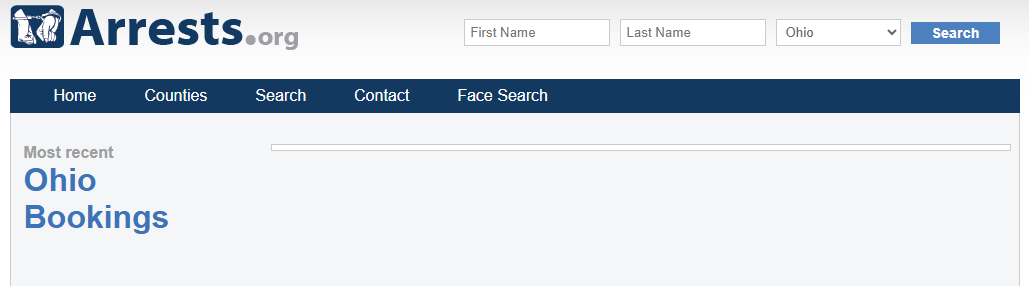
Open the Ohio state page
Go to Ohio.Arrests.org. If it does not load, start from www.arrests.org and choose Ohio from the state list.
Search by full legal name
Use first name and last name first. If the result is weak, try middle initial, maiden name, hyphenated name, nickname, or last-name-only search.
Save the booking details
Write down county, arrest date, booking number if shown, listed charge, bond, agency, and page URL. These details help when checking sheriff or court records.
Verify with official records
Use the county sheriff for current jail custody, the court clerk for case outcome, ODRC for state custody, and BOP/PACER for federal custody or federal court cases.
Official Ohio County Jail and Inmate Search Routes
Ohio county jails handle most fresh arrests, short-term custody, bond questions, and local booking records. Use the exact county jail or sheriff source after finding a mugshot lead.
County jail results may change quickly after release, transfer, warrant clearance, or court order. Always save the booking number and check again before visiting or paying bond.
County / Area | Official Source | Best Use |
|---|---|---|
Cuyahoga County / Cleveland | Corrections Center information, inmate mail, commissary, and jail-related guidance. | |
Franklin County / Columbus | Current inmates, charges, case numbers, visitation location, and court dates. | |
Hamilton County / Cincinnati | Search inmates by first name or last name and verify Justice Center custody. | |
Summit County / Akron | Jail information, inmate roster route, corrections phone, and inmate services. | |
Montgomery County / Dayton | Current inmate lookup, charges, bond, custody status, and local jail verification. | |
All Ohio Counties | Custody-status lookup and notification where participating agencies provide data. |
Ohio DRC Offender Search: When to Use It
Use the Ohio Department of Rehabilitation and Correction search when the person may be in Ohio state prison, under Department supervision, released, on APA supervision, or listed as a violator at large.
Do not use ODRC as your first source for a same-day county jail arrest. Fresh county bookings normally start with a county sheriff or jail roster.
Open the Ohio offender search
Go to the Ohio DRC Offender Search.
Choose name, county, status, or number
Try last name first. You can narrow by first name, county of commitment, residential county, ZIP code, status, parole-board hearing date, or offender number when available.
Check the status carefully
Look for incarcerated, released, APA supervision, or violator status. If the person is not listed, check the county jail route instead.
How to Verify Ohio Charges, Court Dates and Final Case Outcome
Arrest records and jail rosters show booking activity. They do not always show final filed charges, amended charges, dismissals, plea, sentence, sealing, or expungement status.
Ohio court records are usually checked through the local municipal court, county court, common pleas court, clerk of courts, or Supreme Court tools depending on case type.
Identify the right court
Use the county and city from the booking record. A Cleveland case may be municipal or Cuyahoga Common Pleas. A Columbus case may be municipal or Franklin Common Pleas.
Search by name and case number
Search the same legal name shown in the arrest record. If a case number appears in the jail result, use that number first.
Read the docket, not only the charge title
Check hearing date, courtroom, filed charge, disposition, bond order, warrant status, plea, sentence, and whether the case is still pending.
Contact the clerk for missing records
If the online docket is incomplete, call or visit the clerk office. Some sealed, expunged, juvenile, old, or restricted records may not be available online.
Ohio BCI WebCheck and Official Background Check Help
If the user intent is employment, licensing, school, day care, health care, adoption, or official background screening, do not use a mugshot website.
Use Ohio Attorney General BCI WebCheck or the correct official background-check process. WebCheck locations electronically submit fingerprints and background-check data to BCI.
When to Use BOP or PACER for Ohio-Related Federal Cases
Some Ohio arrests involve federal charges, federal custody, or federal court cases. County jail and ODRC tools may not show the full federal record.
Use the BOP inmate locator for federal inmate location and PACER for federal court case search.
Federal Task | Official Source | What It Helps Verify |
|---|---|---|
Federal inmate location | Federal inmate location from 1982 to present and custody/release notes. | |
Federal court case | Federal district, bankruptcy, appellate, and nationwide federal case-index search. | |
Northern Ohio federal court | Federal cases tied to Cleveland, Akron, Toledo, Youngstown, and northern Ohio areas. | |
Southern Ohio federal court | Federal cases tied to Columbus, Cincinnati, Dayton, and southern Ohio areas. |
Ohio Arrest Record Field Guide
Use this table before assuming what a record means. Booking pages, jail pages, and court pages often use different wording.
Field | Simple Meaning | What to Verify Next |
|---|---|---|
Mugshot | Booking photo connected to an arrest or jail intake. | Confirm identity, county, date, and official record before sharing or acting. |
Booking date | Date the person was processed by jail or law enforcement. | Check if the person is still in jail or already released. |
Listed charge | Charge shown at arrest or booking stage. | Check court records because charges can change later. |
Bond | Release amount or condition if shown. | Confirm with the jail or court before paying anyone. |
Court date | Next scheduled hearing or appearance. | Check local clerk or court docket because schedules can change. |
Disposition | Case result if available. | Use court records for dismissal, plea, conviction, sealing, or expungement status. |
Ohio Local Insider Tips That Save Time
Why an Ohio Arrest or Inmate Search May Show No Result
No result does not always mean no arrest happened. It may mean you are searching too early, using the wrong county, or checking the wrong system.
Official Ohio Arrest, Jail, Court and Background Check Links
Use these links after reading the steps above. They are included for action and verification, not as a generic directory.
Related Arrests-Org.us Guides
Use these internal links when your search moves from Ohio statewide mugshots to broader arrest-record navigation.
Final Ohio Verification Checklist
Arrests.org Ohio FAQs
Where can I search Arrests.org Ohio mugshots?
Start with Ohio.Arrests.org. Search by full legal name, then open the full booking page and save county, arrest date, charge, booking number if shown, and page URL.
Is Arrests.org Ohio an official Ohio government website?
No. Arrests.org is a third-party mugshot and arrest-record website. Use official county sheriff, court, ODRC, BCI, BOP, or PACER sources before acting on any record.
How do I verify if someone is currently in an Ohio county jail?
Use the county sheriff or county jail inmate search. Search last name first, then add first name or booking number. For custody notification, also check VINELink Ohio.
When should I use Ohio DRC offender search?
Use Ohio DRC when the person may be in state prison, released from DRC custody, under APA supervision, judicially released, or listed as a violator at large.
Why is someone on Arrests.org Ohio but not in jail search?
The person may have been released, transferred, booked under a different name, moved to state or federal custody, or removed from current jail results after the booking changed.
How do I check an Ohio court date after finding a mugshot?
Use the county or municipal court tied to the arrest location. Search by name or case number, then verify hearing date, charges, courtroom, bond orders, and disposition.
Can Ohio arrest charges change after booking?
Yes. Booking charges can be amended, dismissed, reduced, indicted, or replaced by later court filings. Use official court records for the most reliable case status.
Can I use Arrests.org Ohio for employment or tenant screening?
No. Do not use Arrests.org, mugshot pages, or this guide for employment, housing, credit, insurance, licensing, or other FCRA-covered decisions. Use legally compliant background-check procedures.
Where do I get an official Ohio background check?
Use Ohio Attorney General BCI WebCheck or an authorized WebCheck location. This is the correct route for many official fingerprint-based background-check needs.
What if the Ohio arrest record is old, dismissed, sealed, or wrong?
First verify the final court record. Then follow the current correction or removal process on the source website. If Google still shows outdated removed content, use Google outdated-content tools after the source changes.
Independent Public Records Guide Disclaimer
Arrests-Org.us is an independent public-record navigation guide. It is not Arrests.org, Ohio Department of Rehabilitation and Correction, Ohio Attorney General, Ohio BCI, any Ohio court, any Ohio sheriff, VINELink, BOP, PACER, or any government agency.
Information can change quickly. Verify all arrest, mugshot, inmate, bond, warrant, court, custody, and background-check details through the official source before taking action.
Last editorial check: July 19, 2026.