Arrests.org Oklahoma: Search Mugshots, Recent Bookings, Jail Rosters, OSCN Court Dockets and Official Inmate Records
Use this Oklahoma guide to search Arrests.org, understand mugshot and booking records, verify jail custody, check OSCN court dockets, and request OSBI criminal-history records the right way.
The goal is simple: find the record fast, understand what it means, then confirm it with the official jail, court, DOC, or OSBI source before trusting it.
Quick Answer: What Should You Do First?
If you want Oklahoma mugshots or recent booking discovery, open Oklahoma Arrests.org first. Then write down the county, name, date, and charge wording.
If you need current custody, use the county jail. If you need court dates or case outcome, use OSCN. If you need an official Oklahoma criminal-history check, use OSBI CHIRP.
Oklahoma Arrests.org Screenshot Guide
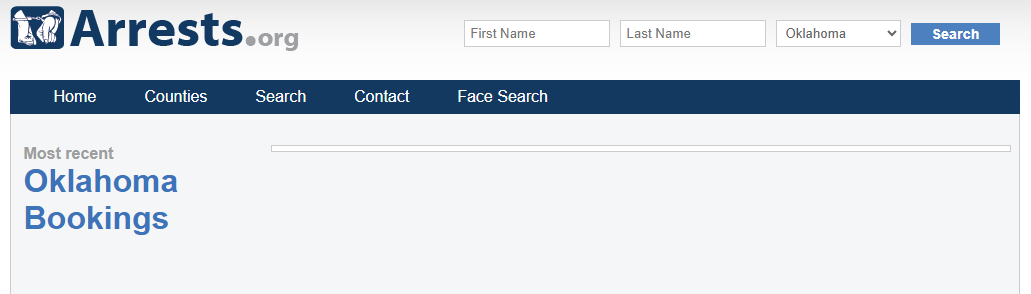
This screenshot helps users recognize the Oklahoma Arrests.org booking page and search area. Use it as a visual navigation guide only.
After you find a possible match, verify the record through a county jail, OSCN, Oklahoma DOC, or OSBI source before relying on it.
Jump to the Right Oklahoma Arrest Search Task
How to Search Oklahoma Arrests on Arrests.org
Arrests.org can help with quick Oklahoma mugshot and booking discovery. It may show names, booking photos, charge wording, county information, and related public-record search options.
Use it as a first step only. Third-party pages can be delayed, incomplete, paid, outdated, or different from the official county or court record.
Open the Oklahoma Arrests.org page
Go to Oklahoma Arrests.org. Browse recent Oklahoma bookings or use the search area if available.
Search by name in a smart way
Start with first name and last name. If no record appears, try last name only, spelling variations, middle initial, nickname, maiden name, or a nearby county.
Select Oklahoma or the correct county
If a state or county filter is available, select Oklahoma first. Then narrow by county if you know where the arrest happened.
Open the matching record carefully
Do not trust a name match by itself. Compare county, booking date, age, charge wording, arresting agency, and any booking number shown.
Verify through official sources
Use county jail records for current custody, OSCN for court status, Oklahoma DOC for state custody, and OSBI CHIRP for official Oklahoma criminal-history checks.
Oklahoma Inmate Records: Jail Record vs Prison Record
Many users search “Oklahoma inmate records” after finding a mugshot. The most common mistake is searching the wrong system.
County jail records usually cover fresh arrests, local bookings, bond, and short-term custody. Oklahoma DOC records are for state offender custody or supervision.
Record Type | Best Place to Search | What It Can Tell You |
|---|---|---|
Fresh arrest or recent booking | County jail or detention center | Booking date, custody status, charges, bond direction, release status, and facility information. |
Mugshot or public booking discovery | Oklahoma Arrests.org | Possible mugshot, name, county, charge wording, or related public-record result. |
State prison or DOC supervision | Oklahoma DOC Offender Lookup | DOC offender status, state custody, or supervision information when available. |
Court case or disposition | OSCN or ODCR | Case number, filed charges, hearings, docket events, sentence, dismissal, or disposition. |
Official criminal-history check | OSBI CHIRP | Oklahoma name-based criminal-history search results from OSBI’s official process. |
Official Oklahoma County Jail and Detention Lookup Tools
County jail tools are usually the best source when the arrest is recent. These tools help users check whether someone is still in custody, recently released, or listed with charges and bond information.
Use these official sources after browsing Arrests.org so you do not rely only on a third-party mugshot page.
County / Area | Official Source | What to Do After Opening |
|---|---|---|
Oklahoma County / Oklahoma City | Use Jail Tracker for current custody. Use Daily Blotter for daily booking updates. For records, use records@okcountydc.net. | |
Tulsa County / Tulsa | Use the inmate search or booking ID list. David L. Moss Criminal Justice Center is the main Tulsa County jail facility. | |
Cleveland County / Norman | Use the inmate information system. If it does not show the record, call 405-701-7700 or check OSCN/ODCR. | |
Canadian County / El Reno / Yukon / Mustang | Search by name. The page can show in-custody inmates, booking date, charges, and people released in the last 72 hours. | |
Comanche County / Lawton | Use Current Inmates for jail search. The detention page also links inmate mail, money, visitation, PREA, and weekend bond release details. |
Oklahoma Jail Contact Details Users Often Need
Call only after you have the person’s full name, date of birth or age, booking date, and county. This helps the jail or records office locate the right person faster.
Office | Address / Contact | Use It For |
|---|---|---|
Oklahoma County Detention Center | 201 N. Shartel Ave, Oklahoma City, OK 73102 Phone: 405-907-1930 or 405-504-6811 Email: questionsocdc@okcountydc.net | Oklahoma City area jail questions, Jail Tracker help, custody questions, open records routing, and inmate services. |
Tulsa County David L. Moss Criminal Justice Center | 300 N. Denver Ave, Tulsa, OK 74103 Phone: 918-596-8900 | Tulsa County jail custody, booking, visitation, mail, inmate account, and property questions. |
Cleveland County F. Dewayne Beggs Detention Center | Norman area custody, detention-center questions, inmate portal issues, and records routing. | |
Canadian County Sheriff | 208 W. Rogers, El Reno, OK 73036 Phone: 405-262-3434 | Canadian County inmate search, custody, released-last-72-hours checks, and sheriff routing. |
Comanche County Detention Center | 315 SW 5th Street, Lawton, OK 73501 Phone: 580-250-1902 | Lawton area current inmate search, mail, visitation, weekend bond release, and detention questions. |
Map: Oklahoma County Detention Center
This map is for Oklahoma County Detention Center in Oklahoma City. For Tulsa, Cleveland, Canadian, or Comanche County, use the county-specific contact table above.
How to Verify Oklahoma Court Records on OSCN
A jail record can show booking and custody. A court docket is better for filed charges, case number, hearing dates, warrants, bond events, plea, dismissal, sentence, or disposition.
OSCN Docket Search lets users search by county or court, case number, party name, court case type, date range, lower court case number, and traffic citation where supported.
Open OSCN Docket Search
Go to OSCN Docket Search. This is the main Oklahoma State Courts Network docket search page.
Choose county or court
Select the county where the arrest or case happened. If you are unsure, start with the county shown on the mugshot or booking result.
Search by case number if you have it
Case number search is cleaner than name-only search. Oklahoma criminal case numbers often include letters such as CF, CM, or TR followed by year and number.
Use party-name search carefully
Enter last name and first name. Use birth-date filters when available to reduce wrong-person matches.
Read the docket timeline
Look for filed charge, warrant entries, bond events, hearing dates, plea, dismissal, sentence, and final disposition.
Use ODCR when helpful
Open On Demand Court Records if the county or case is easier to find there.
Oklahoma DOC Offender Lookup: When to Use It
Use Oklahoma DOC Offender Lookup when a person may be in state custody, under DOC supervision, or listed as a DOC offender.
Do not use it as the first source for every fresh county jail arrest. DOC information can be abbreviated and should be verified with the facility or court when details matter.
How to Request Official Oklahoma Criminal History Through OSBI CHIRP
For official Oklahoma criminal-history record checks, use OSBI CHIRP. This is different from mugshot browsing, inmate search, or jail roster lookup.
CHIRP requires at least first name, last name, and date of birth. Aliases, race, gender, and Social Security number may help improve matching when available.
OSBI Task | Official Detail | Practical Step |
|---|---|---|
Online criminal-history request | CHIRP is OSBI’s Criminal History Information Request Portal. | Create a free CHIRP account, then pay only for searches you request. |
Required search details | First name, last name, and date of birth are required. | Add aliases, maiden names, nicknames, race, gender, or SSN if known for better matching. |
Name-based search fee | OSBI Criminal History Database Search is listed as $15. | Budget for the online convenience fee if paying through CHIRP. |
Registry searches | DOC sex offender and violent offender registry searches are listed as $2 each through CHIRP. | Use this when you need registry search results through the OSBI portal. |
State-only limitation | CHIRP results do not include criminal-history information from other states. | If the person lived in other states, do not assume Oklahoma-only results are complete. |
Result caution | OSBI name-based results depend on name or description similarity. | Use DOB, alias, and other identifiers to avoid wrong-person matches. |
Are Oklahoma Mugshots Free or Paid?
Some third-party public-record websites may charge for expanded reports, background-check style details, or bundled search results. Do not pay until you know what you actually need.
If your goal is current custody, start with the county jail. If your goal is court status, use OSCN or ODCR. If your goal is an official Oklahoma criminal-history check, use OSBI CHIRP.
Oklahoma Sex Offender, Violent Offender, VINE and Federal Searches
Do not confuse a normal arrest search with registry, victim notification, or federal inmate search. These tools answer different questions.
Tool | Use It When | Do Not Use It For |
|---|---|---|
You need registry-specific search information. | Normal recent arrests or county jail custody. | |
You want OSBI portal searches of DOC sex offender or violent offender registries. | Free mugshot browsing or county jail booking discovery. | |
Victims or family members need custody-status notification where available. | Certified court records or official criminal-history reports. | |
The person may be in federal custody from 1982 to present. | Oklahoma county jail or state-only DOC custody. |
What Oklahoma Booking Details Usually Mean
Booking fields can confuse users. Use this table before assuming what a result means.
Field | Meaning | Important Warning |
|---|---|---|
Mugshot | A booking photo taken during jail intake or shown by a public-record source. | It does not prove guilt, conviction, or final court outcome. |
Booking date | The date the person was processed into jail or detention. | It is not the same as conviction date or final court outcome. |
Charge | The alleged offense listed at booking or in a case filing. | Charges can be changed, dismissed, amended, or reduced later. |
Bond or bail | A release amount or court condition tied to custody. | Bond can change after a hearing, judge review, warrant check, or hold. |
Released | The person may no longer be in that jail’s custody. | Released does not automatically mean charges were dropped. |
Docket | The court timeline showing filings, events, hearings, and disposition. | Use OSCN or ODCR for case status, not only a mugshot page. |
Oklahoma Arrest Search Insider Tips
Why You Cannot Find an Oklahoma Arrest Record
What to Save Before the Record Changes
Booking and court records can update quickly. Save the important details before you call the jail, court clerk, OSBI, or DOC.
Official Oklahoma Links for Arrests, Jail, Court and Records
Use these links after reading the steps above. The goal is not just to click links, but to know which source answers your exact question.
Related Arrests.org Guides
Use these internal guides when a record may involve a neighboring state, transfer, or multi-state search.
Final Oklahoma Verification Checklist
Arrests.org Oklahoma FAQs
How do I search Oklahoma arrests on Arrests.org?
Open Oklahoma Arrests.org, browse recent bookings, choose the county if available, or search by name. Save the county, booking date, charge, and name details, then verify through jail and court sources.
Is Arrests.org Oklahoma an official government website?
No. Arrests.org is a third-party mugshot and booking website. Use it as a discovery starting point only, then verify with county jail records, OSCN, ODCR, Oklahoma DOC, or OSBI CHIRP.
Where do I check current Oklahoma jail custody?
Use the county detention center where the arrest happened. For Oklahoma City use Oklahoma County Detention Center. For Tulsa use Tulsa County jail resources. For Norman use Cleveland County Detention Center.
Where can I search Oklahoma inmate records?
For fresh custody, use the county jail or detention center. For state offender custody or supervision, use Oklahoma DOC Offender Lookup. For court status, use OSCN or ODCR.
When should I use Oklahoma DOC Offender Lookup?
Use Oklahoma DOC Offender Lookup when the person may be in state custody, under DOC supervision, or listed as a state offender. It is not the best first source for fresh county jail bookings.
How do I verify Oklahoma criminal court records?
Use OSCN Docket Search by case number, party name, county, court, date range, or citation. If a record is not found on OSCN, check ODCR for participating Oklahoma courts.
Why is someone on Arrests.org but not in Oklahoma DOC?
The person may be in county jail, recently released, not sentenced, held by a city or county agency, or never transferred to DOC custody. County jail and DOC systems are different.
How do I request an official Oklahoma criminal-history record?
Use OSBI CHIRP or OSBI criminal-history request instructions. CHIRP requires the subject’s first name, last name, and date of birth, and OSBI lists a fee for criminal-history searches.
What is the difference between OSCN and ODCR?
OSCN is the Oklahoma State Courts Network docket search. ODCR is a public court-record search for participating courts. Use OSCN first, then ODCR if the county or record is easier to find there.
Does an Oklahoma mugshot mean conviction?
No. A mugshot usually means a person was booked or listed in a public database. It does not prove guilt, conviction, sentencing, or final court outcome.
Can I use Oklahoma arrest records for employment or tenant screening?
No. Do not use this guide, Arrests.org, mugshot pages, jail rosters, or public arrest pages for employment, housing, credit, insurance, licensing, or other regulated screening decisions.
Independent Guide Disclaimer
Arrests-Org.us is an independent public-record navigation guide. It is not Arrests.org, Oklahoma County Detention Center, Tulsa County Sheriff’s Office, Cleveland County Sheriff’s Office, Canadian County Sheriff’s Office, Comanche County Detention Center, Oklahoma DOC, OSBI, OSCN, ODCR, any court, or any government agency.
This guide is for informational use only. Arrest information can be incomplete, delayed, corrected, sealed, expunged, or mistaken. Always confirm identity, custody, bond, court status, and official record details with the proper source.
Editorial verification note: External reference page, official Oklahoma source links, image URL, and major county lookup/contact details were reviewed for this rewrite on July 19, 2026.